This is not a promise. It's the actual screen.
A walk-through of ReadyFy as teams use it today. How the AI assembles the process, how every step is documented, and how the dossier becomes defensible.
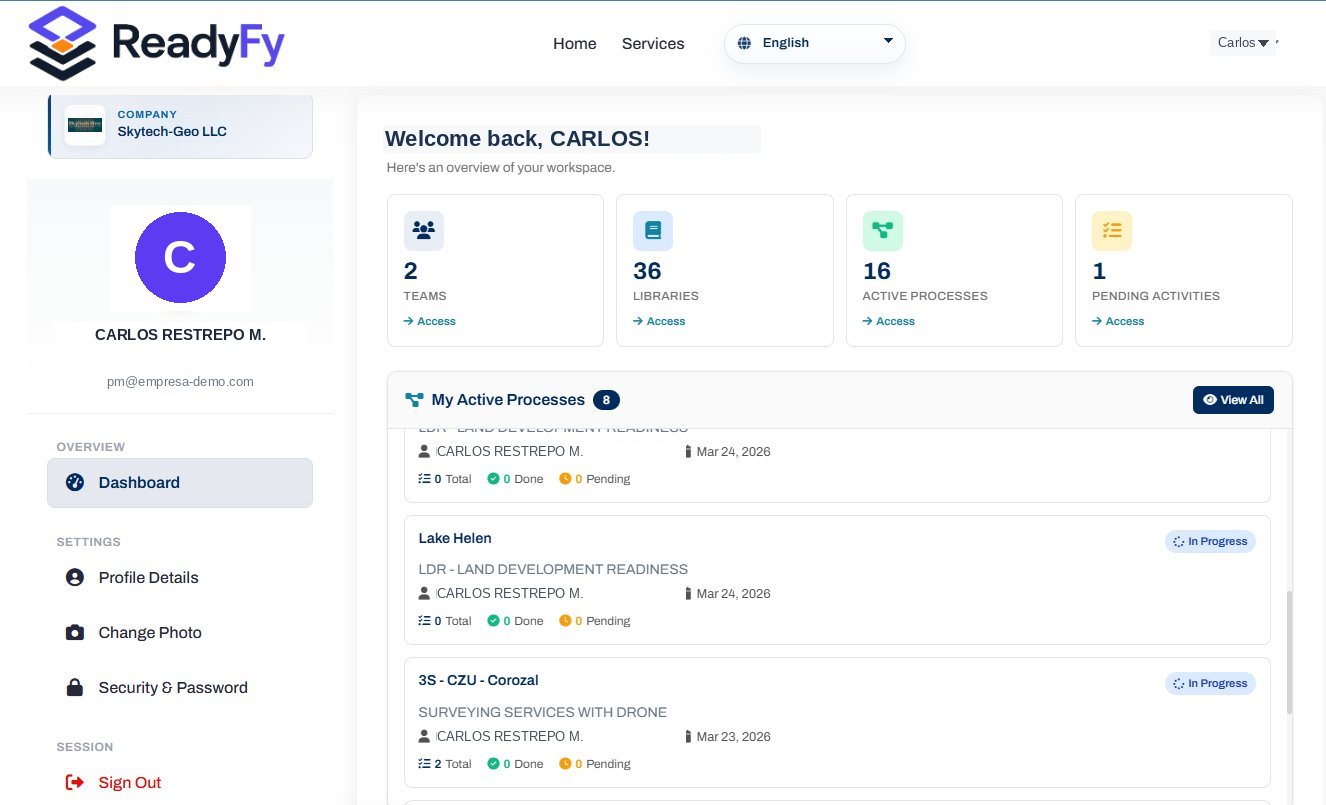
Every screenshot on this page comes from the platform in production. No mockups, no smoke.
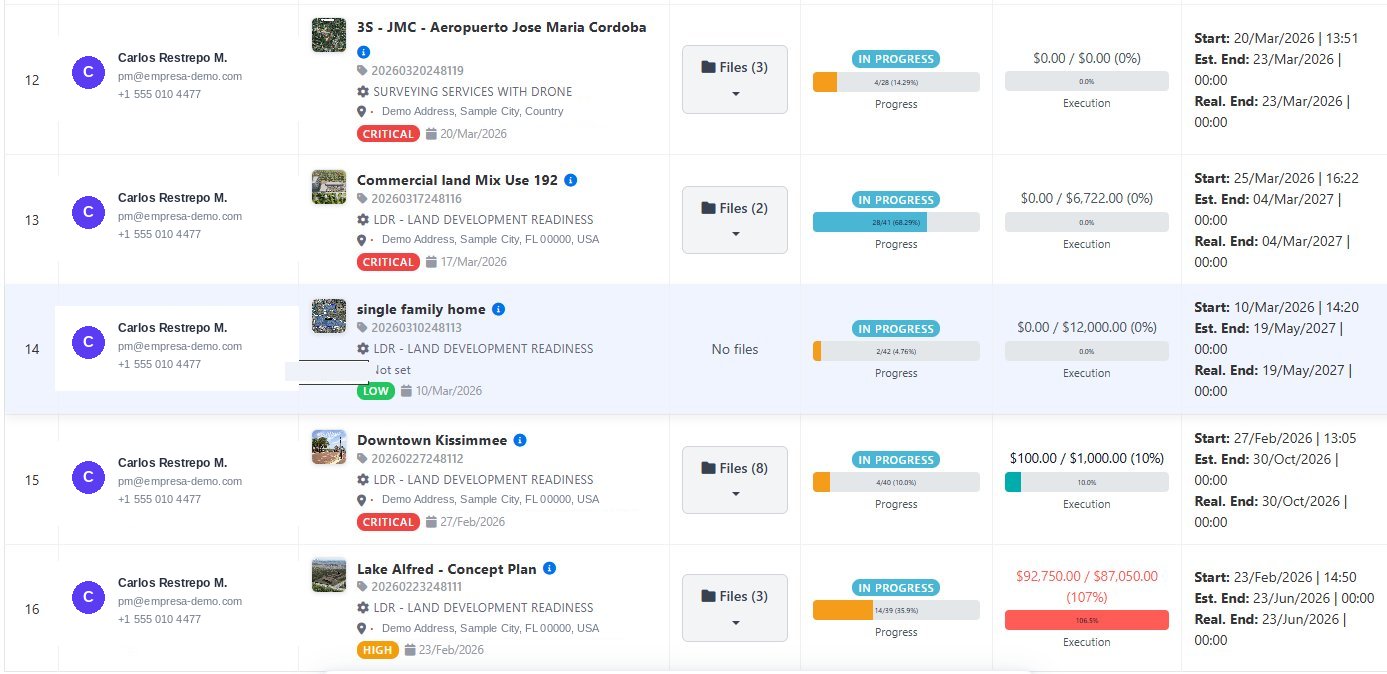
All your processes, on a single screen.
Every process with its state, level of progress, executed budget and critical dates. The PRR is not a decorative number: it's the real percentage of completed activities versus the total.
- ✓Real progress bar. Calculated on closed activities. 24%, 68%, 4% — what is actually done.
- ✓Live budget. Spent vs. allocated. If overspent, it's flagged in red automatically.
- ✓Priority and due dates. Critical, high, medium. Start, estimated end and actual end dates.
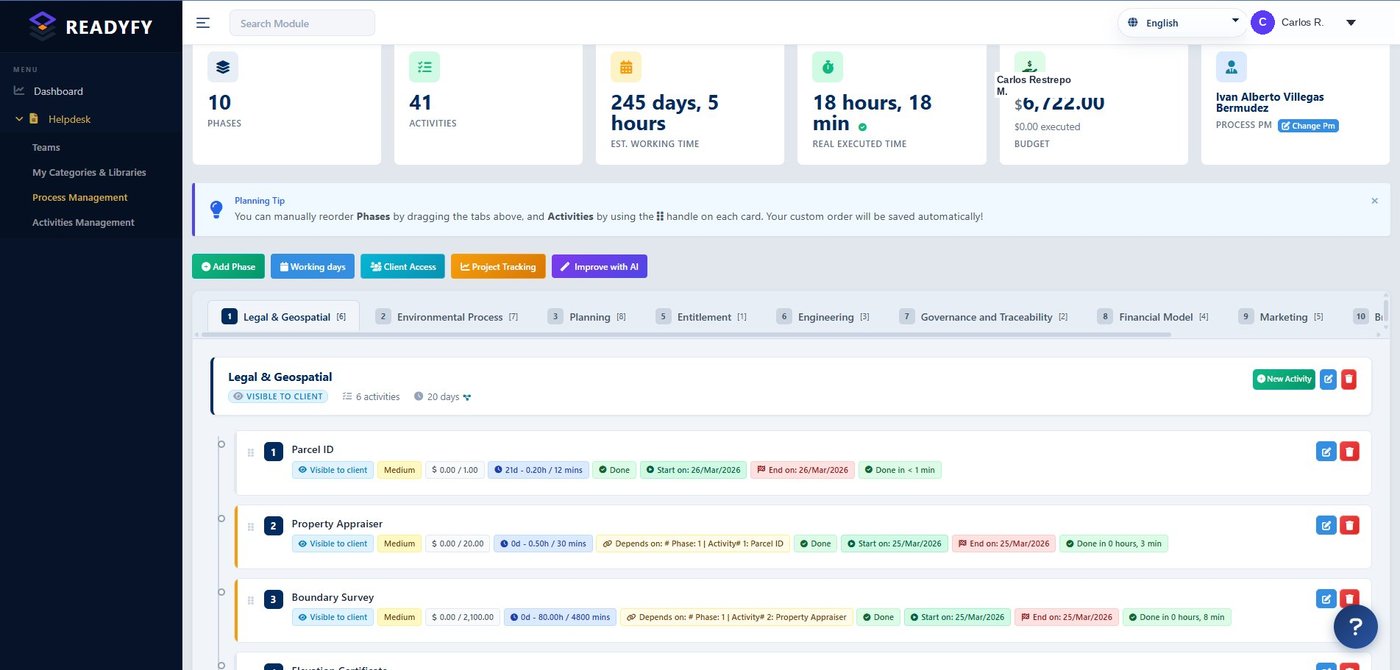
The AI assembles the process. You refine it.
Indicate the process type and applicable regulation. The AI proposes phases, activities in logical order and dependencies between them. You reorder, add, remove and save as your own reusable library.
- ✓"Improve with AI" builds phases and activities per the regulation you specify.
- ✓Real dependencies. "Depends on: Phase 1, Activity 2" — the timeline is not decorative.
- ✓Client-visible per activity. You decide who sees what.
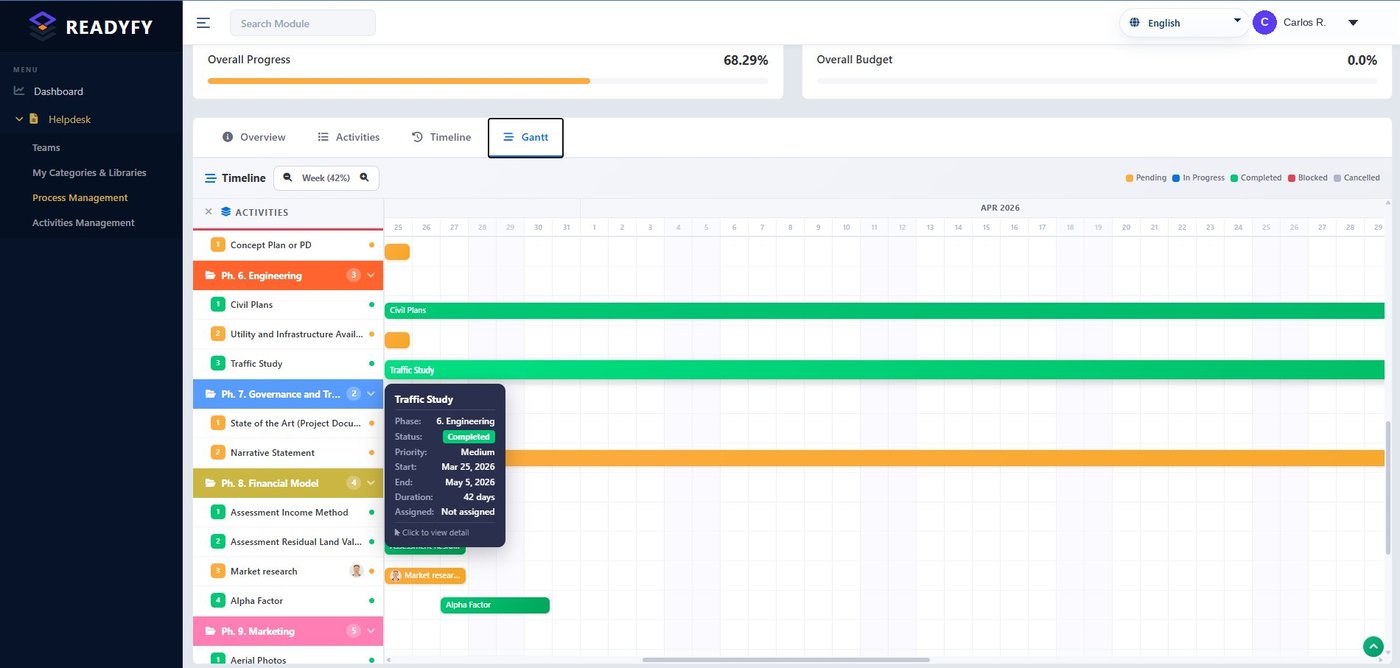
A Gantt that breathes with the project.
Each activity on its own timeline, with its state color. Pending, in progress, completed, blocked. Hover and see the phase, owner, dates and duration of each task.
- ✓Color-coded states. Green completed, orange pending, red blocked. At a glance.
- ✓Global progress. The % of the entire project, calculated in real time.
- ✓Visible to client and reviewer. The same timeline, no status meetings.
Your work board. Like notes that move themselves.
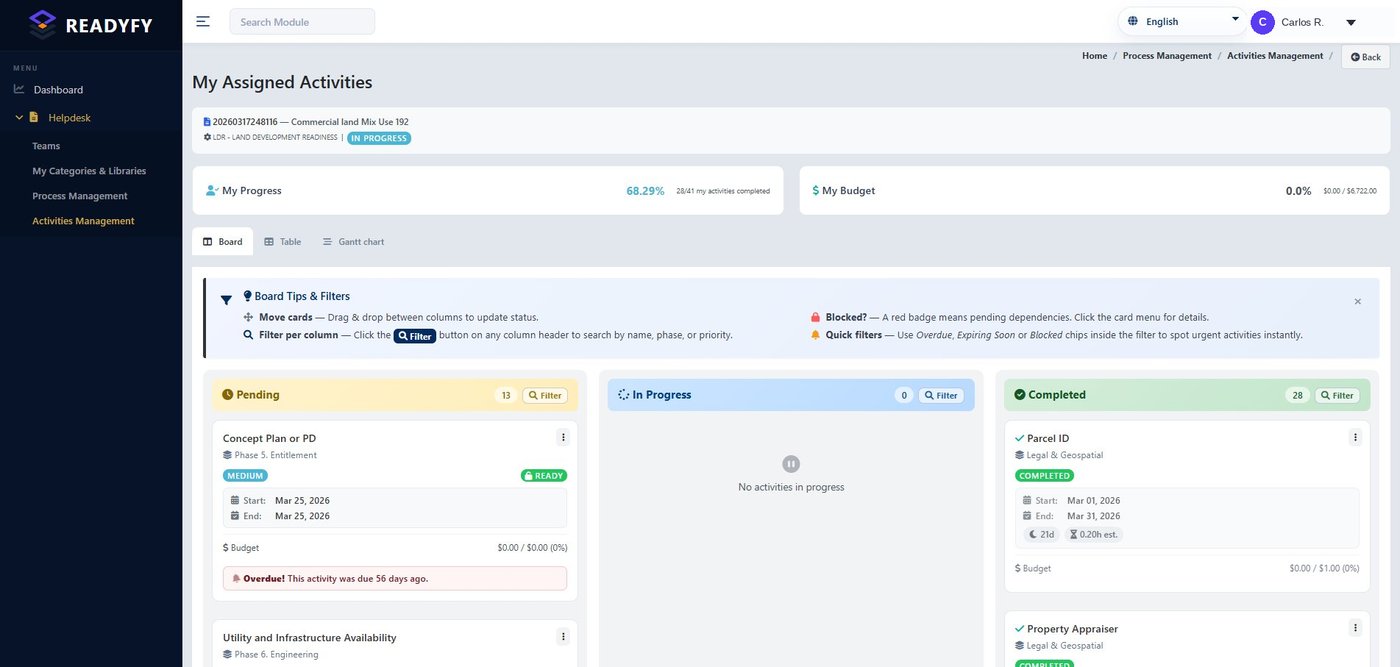
Drag a card from "Pending" to "In progress" to "Completed". Upload reports, notes, reviews and costs to each activity. Blocked dependencies are marked in red: you cannot advance until the predecessor is done.
- ✓Draggable Kanban. Moving a card updates state instantly.
- ✓Due-date alerts. "Overdue by 56 days" — nothing slips through.
- ✓Clear badges. Ready, overdue, blocked, completed. No ambiguity.
The client stays informed. Without interrupting you.
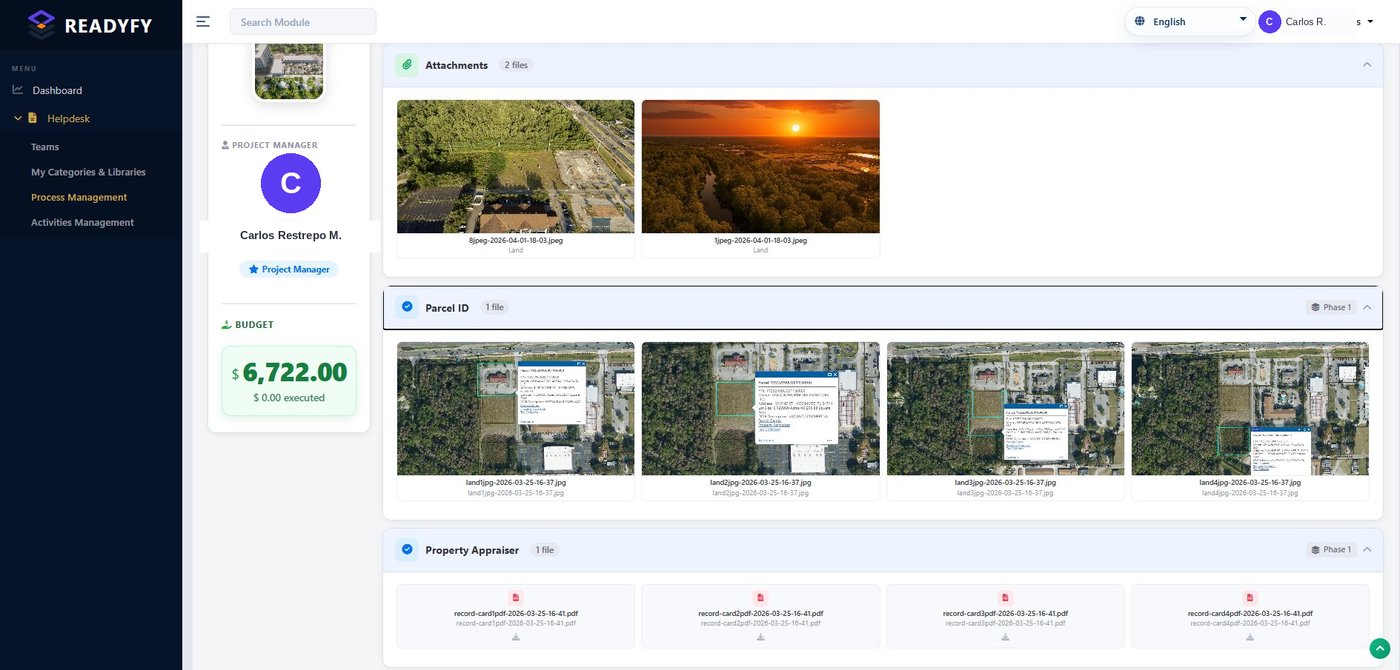
The client, reviewer or authorized visitor enters and sees the process documents, organized by activity, with description and notes. You decide exactly which files are shared. No cost to whoever reads.
- ✓Per-activity attachments. Each document tied to its stage, with description and notes.
- ✓You choose what is visible. Total control over which files are shared.
- ✓Reading is free. The client self-informs without consuming your time.
The black box. The record speaks for itself.
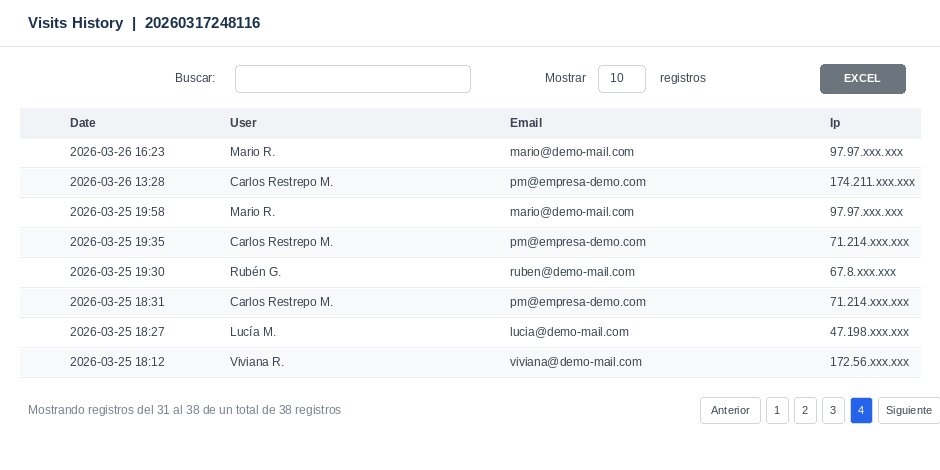
Every time someone enters the project, it is recorded: date, user, email and IP. Nobody can claim they reviewed the information without having done so — nor deny that they saw it. Exportable to Excel, ready for an audit.
- ✓Every access logged. Date, user, email and IP. Unerasable.
- ✓Defensible evidence. Who saw what and when. No room for dispute.
- ✓Excel exportable. The access dossier, ready to deliver.
All your projects. On the map.
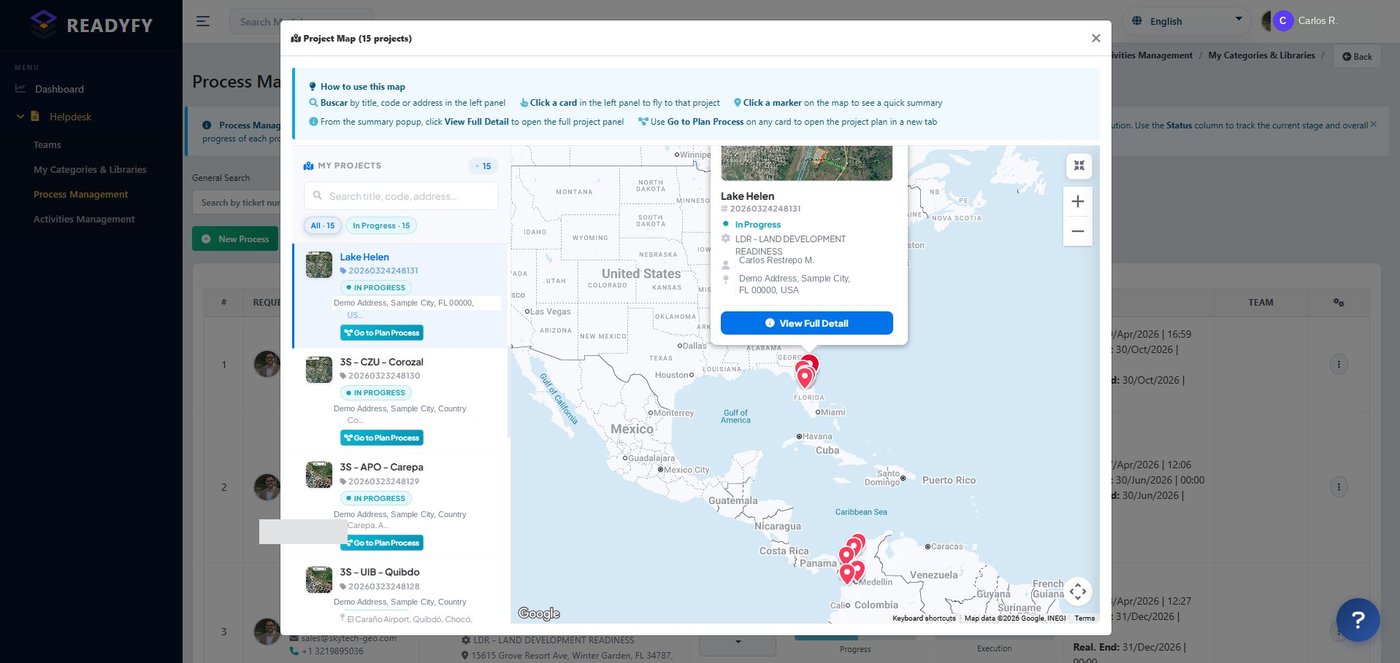
See where each process is in the world. Click a marker to jump straight into the project. From Florida to Colombia, your full portfolio in a single view.
Thousands of pages. One package. Foliated and certified.
When the process closes, ReadyFy assembles the complete dossier: a single PDF, in order, with every page foliated, an auto-generated index and an integrity seal per page. If anyone alters a single page, ReadyFy detects it.
ReadyFy Verified
In-house integrity seal. Embedded SHA-256 hash.
PAdES · eIDAS
Advanced electronic signature with timestamp.
ReadyFy certifies document integrity and process state. It does not certify the truthfulness of the content — that belongs to the signing professional.
Final dossier
- 1. Cover and process datap. 1
- 2. Legal & geospatial phasep. 12
- 3. Studies and permitsp. 87
- 4. Evidence by activityp. 234
- 5. Certified documentsp. 612
- 6. Chronological logp. 1,210
- 7. Access recordp. 1,240
The ReadyFy vocabulary, in one pass.
Readiness Index
The real percentage of progress: completed activities over total. A number anyone understands.
Logical precedences
A blocked activity does not advance until its predecessor is ready. The timeline reflects reality.
Pending → Completed
Each activity has a clear state: pending, in progress, blocked, completed, cancelled.
Immutable record
Every action with author, date and time. The process timeline that nobody can tamper with.
Who sees what
Owner, PM, consultant, client, reviewer. Each role with its defined access level.
Defensible package
The final dossier, foliated and sealed. Ready for an audit, a judge or an investor.
See ReadyFy with your own process.
20 minutes. We show you the platform applied to your industry, in your language and with your real processes.